

Bob Player IPTV Guide 2025
Bob Player IPTV Guide 2025: Everything You Need to Know
If you’re looking for a reliable IPTV experience in 2025, Bob Player is quickly becoming a popular choice among users worldwide. Whether you’re new to IPTV or considering switching from other apps, this guide will walk you through everything you need to know about Bob Player, including installation, features, tips, and troubleshooting.
1. What Is Bob Player IPTV?
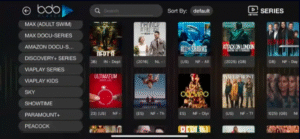
Bob Player IPTV is a modern media player designed specifically for streaming IPTV content. It supports M3U playlists, EPG (Electronic Program Guide), and advanced playback features. With Bob Player, you can watch live TV, movies, series, and sports in high quality.
Key Highlights:
-
User-friendly interface for easy navigation
-
Support for HD and 4K streams
-
EPG integration for TV schedules
-
Compatible with Android, Firestick, Smart TVs, and Windows
2. How to Install Bob Player IPTV in 2025
Installing Bob Player is straightforward. Follow these steps:
On Android Devices:
-
Go to Google Play Store or download the APK from a trusted source.
-
Install the app and open it.
-
Enter your M3U playlist or login credentials from your IPTV provider.
-
Bob Player will automatically load your channels and EPG.
On Firestick:
-
Enable Apps from Unknown Sources in Firestick settings.
-
Use Downloader App to install Bob Player APK.
-
Open the app, enter your IPTV credentials, and start streaming.
On Windows or Mac:
-
Download Bob Player for desktop from the official site.
-
Install and launch the app.
-
Import your playlist or login details.
3. Adding M3U Playlists to Bob Player
M3U playlists are the backbone of IPTV streaming. Here’s how to add them:
-
Open Bob Player → Go to Add Playlist.
-
Choose URL or Local File depending on your source.
-
Paste the M3U link or select the downloaded file.
-
Bob Player will load all your channels and categories automatically.
Tip: Always use a reliable and updated playlist to avoid buffering or missing channels.
4. Setting Up EPG in Bob Player
EPG provides a full TV guide for your channels. To enable EPG:
-
Go to Settings → EPG Settings.
-
Enter your XMLTV URL provided by your IPTV service.
-
Sync the EPG, and your channels will display program schedules.
-
Adjust time zone settings to match your location.
Proper EPG setup ensures you never miss your favorite shows or sports events.
5. Features of Bob Player IPTV
Bob Player offers several advanced features that enhance your IPTV experience:
-
High-Quality Streaming: HD, Full HD, and 4K support.
-
Category Navigation: Easily browse sports, movies, news, and kids’ channels.
-
Favorites List: Mark your favorite channels for quick access.
-
Catch-Up & VOD: Some providers offer on-demand content and catch-up TV.
-
Parental Control: Block specific channels or content for family safety.
6. Troubleshooting Common Bob Player Issues
Even the best IPTV apps may encounter issues. Here’s how to fix common problems:
EPG Not Showing:
-
Ensure your XMLTV URL is correct.
-
Refresh or reimport the EPG.
-
Clear cache and restart the app.
Buffering Issues:
-
Check your internet speed (minimum 5 Mbps for SD, 10 Mbps for HD).
-
Switch to a lower resolution if the network is unstable.
-
Use wired Ethernet instead of Wi-Fi for smoother streaming.
Playlist Not Loading:
-
Verify your M3U URL is active.
-
Contact your provider if the playlist has expired.
7. Tips for the Best Bob Player Experience
-
Always update Bob Player to the latest version for bug fixes and new features.
-
Use a VPN if your IPTV provider is geo-restricted.
-
Organize channels into favorites to save time.
-
Clear cache periodically to maintain smooth performance.
✅ Final Thoughts
Bob Player IPTV is a powerful and versatile app that makes IPTV streaming easier and more enjoyable in 2025. With support for M3U playlists, EPG, and advanced features like catch-up TV and parental controls, it’s an excellent choice for IPTV enthusiasts.
By following this guide, you can install, configure, and troubleshoot Bob Player, ensuring a seamless streaming experience.
