

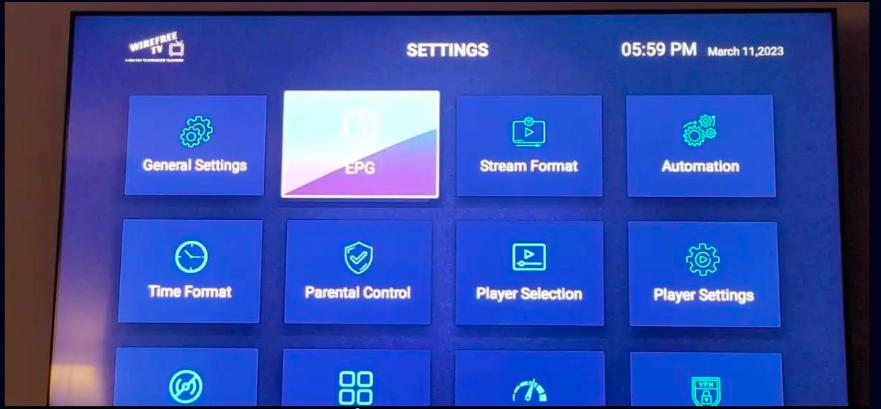
How to Fix IPTV Smarters Pro EPG Not Working: 2025 Guide
How to Fix IPTV Smarters Pro EPG Not Working: 2025 Guide
If you’re an IPTV Smarters Pro user, you may sometimes experience issues with your EPG (Electronic Program Guide) not loading or showing incorrect information. This can be frustrating, especially when you’re trying to keep track of live TV schedules. In this 2025 guide, we’ll go step by step to troubleshoot and fix EPG issues effectively.
1. Understanding EPG and Why It May Not Work
EPG is the feature that shows the schedule of TV channels. When it’s not working, it could be due to several reasons:
-
Outdated app version: Older versions of IPTV Smarters Pro may not support the latest EPG formats.
-
Server issues: Your IPTV provider might be having temporary EPG server problems.
-
Incorrect URL or playlist format: Your M3U playlist or XMLTV URL might be broken or misconfigured.
-
Cache problems: Old data can interfere with the new EPG updates.
-
Internet connectivity issues: Slow or unstable connections can prevent EPG data from loading.
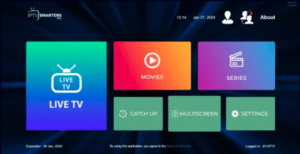
2. Update IPTV Smarters Pro
One of the first steps is making sure you’re using the latest version of IPTV Smarters Pro:
-
Open the app on your device.
-
Go to Settings → About.
-
Check for updates and install the newest version.
-
Restart the app to see if the EPG works.
Outdated apps often fail to sync EPG properly, so this step resolves many problems instantly.
3. Check Your EPG Source URL
Your IPTV provider gives you either a direct EPG URL or includes it in your M3U playlist. Make sure:
-
The URL is correct and not expired.
-
The URL uses http or https properly.
-
There are no extra spaces or typos.
Tip: Copy the URL and open it in a browser. If it doesn’t load, contact your provider for a working EPG link.
4. Refresh or Reimport EPG
If your EPG URL is correct but the guide isn’t showing:
-
Go to Settings → EPG Settings.
-
Select Refresh EPG.
-
If that fails, try Remove and Reimport EPG from your M3U or XMLTV file.
Refreshing forces the app to fetch new data from the provider’s servers.
5. Clear Cache and Data
Sometimes, corrupted cache prevents EPG from displaying:
-
On Android/Firestick:
-
Go to Settings → Apps → IPTV Smarters Pro.
-
Tap Clear Cache and Clear Data.
-
Reopen the app and re-enter your playlist credentials.
-
-
On iOS:
-
Delete and reinstall the app.
-
Re-add your IPTV credentials.
-
This step often resolves hidden app errors.
6. Adjust Time Zone Settings
EPG may appear empty if your device’s time zone doesn’t match the EPG feed:
-
Go to your device’s Date & Time settings.
-
Ensure Automatic Date & Time is ON.
-
Check that the time zone matches your location.
-
Restart IPTV Smarters Pro.
A mismatch between server time and device time can make EPG appear blank or show wrong program times.
7. Check Your Internet Connection
A stable internet connection is crucial for EPG updates:
-
Minimum 5 Mbps for standard IPTV.
-
10 Mbps or higher recommended for HD channels.
-
Avoid Wi-Fi congestion; consider wired Ethernet for stability.
Slow connections may prevent EPG data from loading or updating.
8. Contact Your IPTV Provider
If none of the above solutions work, the issue may be on the provider’s side:
-
Ask if their EPG servers are online.
-
Confirm your playlist or subscription includes EPG support.
-
Request an updated or alternative EPG URL.
Reliable IPTV providers usually offer responsive support for EPG issues.
9. Alternative Solutions
-
Use a different IPTV app temporarily: Apps like TiviMate or XCIPTV may handle EPG better.
-
Manually add XMLTV files: Some users prefer importing EPG from external XMLTV sources.
✅ Final Thoughts
EPG issues in IPTV Smarters Pro can be caused by many factors, but with careful troubleshooting, most problems are easy to fix. The key steps are:
-
Update your app.
-
Verify your EPG URL.
-
Refresh or reimport the EPG.
-
Clear cache and data.
-
Ensure proper time zone settings.
-
Check your internet connection.
-
Contact your IPTV provider if needed.
By following this 2025 guide, you should have a fully functional EPG, ensuring your IPTV experience is smooth and uninterrupted.
