

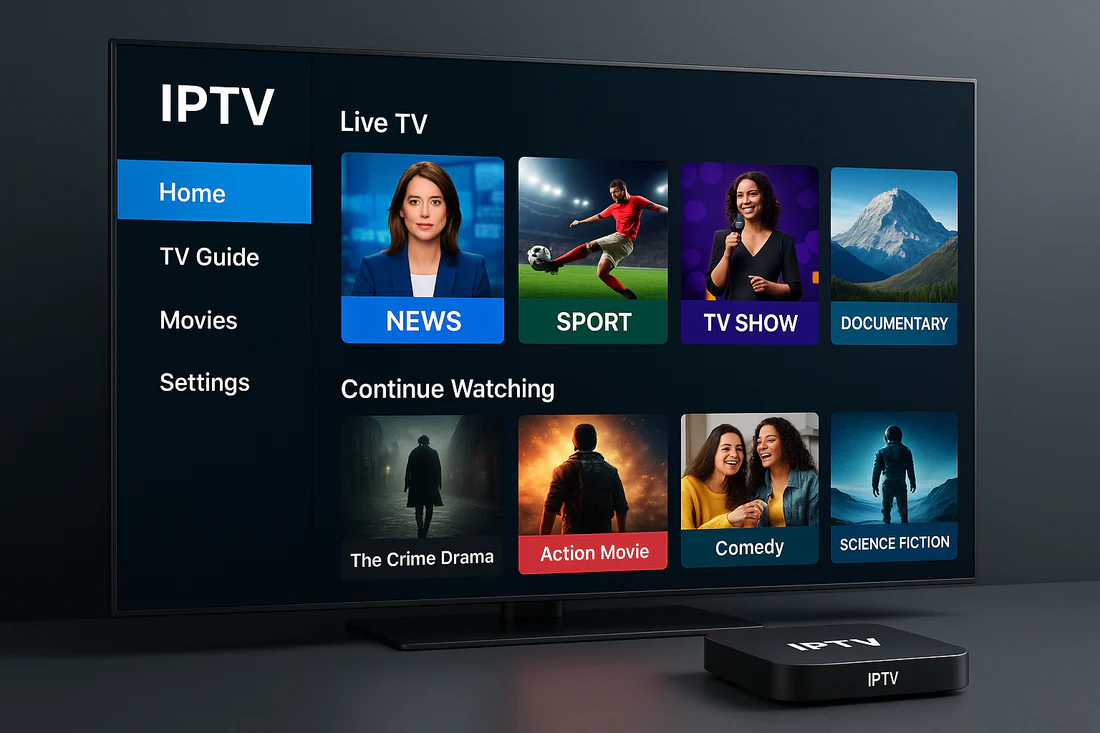
IPTV Box: The Complete Guide to the Future of TV Streaming
Introduction
In the modern world of entertainment, the way we watch television has completely changed. Gone are the days when people relied only on cable or satellite services. Now, with the rise of Internet Protocol Television (IPTV), viewers can stream live TV, movies, and shows through the internet. At the heart of this revolution lies a powerful device known as the IPTV Box — a compact but versatile tool that brings the future of digital television directly to your living room.
Whether you’re a sports lover, a movie enthusiast, or someone who just enjoys binge-watching the latest series, an IPTV box gives you the freedom to watch what you want, when you want, and how you want — all without the restrictions of traditional broadcasting.
In this complete guide, we’ll explore everything you need to know about IPTV boxes — what they are, how they work, their benefits, top brands, installation steps, and how to choose the best IPTV box for your needs.
What Is an IPTV Box?
An IPTV Box (or IPTV set-top box) is a device that connects your TV to the internet, enabling you to stream content directly over an IP network instead of receiving it through traditional satellite or cable signals. It converts digital streaming data into a format your TV can display.
In simple terms, an IPTV box allows your TV — even if it’s not a Smart TV — to connect to IPTV services. Once connected, you can access thousands of live TV channels, on-demand movies, and streaming apps from all over the world.
Key Functions of an IPTV Box
-
Decoding IPTV Streams – The box decodes digital streaming signals and converts them into video and audio that your television can display.
-
App Integration – Many IPTV boxes come with pre-installed apps or allow users to install third-party IPTV player apps.
-
Internet Connectivity – Most IPTV boxes connect via Wi-Fi or Ethernet to stream content directly from IPTV servers.
-
Content Storage – Some IPTV boxes include built-in memory or allow USB/external storage for downloaded shows or recordings.
-
Multimedia Compatibility – Many boxes also support local media playback, so you can watch movies or play music from USB drives.
How Does an IPTV Box Work?
The working principle of an IPTV box is relatively simple yet technologically sophisticated. Instead of broadcasting content via satellite or cable, IPTV sends TV programs and videos through an internet connection. Here’s a breakdown:
-
Internet Connection: The IPTV box connects to your home internet, either via Ethernet cable or Wi-Fi.
-
Server Request: When you select a channel or video, the box sends a request to the IPTV service provider’s server.
-
Streaming Data: The server sends the requested video data packets to your device over the internet.
-
Decoding & Display: The IPTV box decodes the streaming signal and displays the content on your television screen in real time.
This process happens instantly, allowing for smooth streaming of live TV, sports events, or on-demand content.
Types of IPTV Boxes
There are several types of IPTV boxes on the market, each catering to different preferences and budgets. Here are the most common ones:
1. Android TV Boxes
These are the most popular type of IPTV boxes. Powered by Android OS, they allow users to download apps from the Google Play Store and support various IPTV player apps like TiviMate, Smart IPTV, or XCIPTV. They often double as full media centers with YouTube, Netflix, and gaming capabilities.
Examples: Nvidia Shield TV, Xiaomi Mi Box, Formuler Z11 Pro Max.
2. MAG Boxes
MAG boxes, developed by Infomir, are widely used by IPTV service providers. They offer stable performance and a user-friendly interface. MAG boxes are known for their reliability, making them ideal for users who prefer simplicity.
Examples: MAG 524, MAG 544W3.
3. Apple TV Boxes
Apple TV supports IPTV apps via the App Store and offers high-quality streaming for Apple users. Although more expensive, they provide a seamless and premium experience for users in the Apple ecosystem.
4. Linux-Based IPTV Boxes
These boxes are popular among tech-savvy users who prefer a customizable, open-source platform. They allow advanced configuration and are favored by IPTV providers for professional use.
5. Amazon Fire TV Stick / Cube
Technically not a box, the Fire Stick is a small device that plugs into your TV’s HDMI port. It supports IPTV apps like Smart IPTV and IPTV Smarters Pro, offering portability and affordability.
Benefits of Using an IPTV Box
1. Access to Global Channels
With an IPTV box, you can access thousands of channels from around the world — including sports, movies, news, documentaries, and entertainment — all from one device.
2. No Need for Satellite Dish
You don’t need any physical dish or cable setup. All content is streamed over the internet, reducing installation costs and clutter.
3. On-Demand Streaming
IPTV boxes give you access to Video on Demand (VOD) libraries, allowing you to watch your favorite movies and shows whenever you want.
4. High-Definition and 4K Quality
Modern IPTV boxes support HD, Full HD, and even 4K resolution, ensuring crystal-clear video quality.
5. Pause, Rewind, and Record Live TV
Some IPTV boxes allow you to pause, rewind, or record live broadcasts, giving you complete control over your viewing experience.
6. Affordable Entertainment
Compared to traditional cable subscriptions, IPTV services are significantly cheaper, offering more content for less money.
7. Compatibility
Most IPTV boxes are compatible with all types of TVs, including older non-smart models. You just need an HDMI port or AV connection.
IPTV Box vs Smart TV: What’s the Difference?
You might wonder, “If I already have a Smart TV, do I need an IPTV box?” The answer depends on your needs.
| Feature | IPTV Box | Smart TV |
|---|---|---|
| Performance | Often faster and more customizable | May have slower apps |
| App Options | Wide range, including third-party apps | Limited to built-in app store |
| Updates | Frequent firmware and app updates | Usually slower OS updates |
| Price | Affordable and upgradeable | Expensive to replace |
| Best For | Users who want maximum flexibility and performance | Users who want simple built-in streaming |
In short, even if you have a Smart TV, using an IPTV box can dramatically enhance your streaming experience.
How to Set Up an IPTV Box
Setting up an IPTV box is surprisingly easy. Here’s a step-by-step guide:
-
Connect the Box to Your TV
-
Plug the IPTV box into your TV’s HDMI port.
-
Turn on your TV and select the correct HDMI input.
-
-
Connect to the Internet
-
Choose between Wi-Fi or Ethernet connection.
-
Enter your network credentials if needed.
-
-
Install IPTV App
-
Depending on your device, download an IPTV app like Smart IPTV, TiviMate, Flix IPTV, or IPTV Smarters Pro.
-
-
Enter Your IPTV Subscription Details
-
Most apps require an M3U link or Xtream Codes from your IPTV provider.
-
Enter the credentials to access the channel list.
-
-
Enjoy Streaming
-
Once setup is complete, explore live TV channels, movies, and on-demand shows with ease.
-
Popular IPTV Boxes in 2025
Here are some of the best-performing IPTV boxes currently available:
1. Formuler Z11 Pro Max
A high-end Android IPTV box with 4K support, advanced decoding technology, and the exclusive MyTVOnline3 app. Ideal for premium IPTV users.
2. Nvidia Shield TV Pro
A powerhouse streaming box with 4K HDR support, AI upscaling, and excellent gaming capabilities.
3. MAG 544W3
Reliable, easy to use, and perfect for IPTV-only streaming. It supports HEVC decoding for efficient streaming.
4. Xiaomi Mi Box S
An affordable Android box that provides 4K streaming and access to Google Play Store apps.
5. Amazon Fire TV Cube
A hybrid between a Fire Stick and a smart speaker, offering Alexa voice control and fast streaming performance.
IPTV Box Features to Consider Before Buying
When choosing an IPTV box, keep these key factors in mind:
-
Operating System – Android-based boxes are the most versatile and user-friendly.
-
Processor and RAM – Look for at least 2GB RAM and a quad-core processor for smooth performance.
-
Storage – Minimum 8GB internal storage, expandable via USB or SD card.
-
Resolution Support – Ensure it supports 4K for the best viewing quality.
-
Connectivity Options – Dual-band Wi-Fi, Bluetooth, and Ethernet support.
-
Remote Control – Some boxes come with voice-controlled remotes for added convenience.
-
Regular Updates – Pick brands that provide frequent firmware and security updates.
Legal Considerations of IPTV Boxes
While IPTV technology itself is completely legal, the legality depends on the source of the content you’re streaming. Always ensure you’re subscribing to legitimate IPTV providers who have rights to broadcast the channels and movies they offer.
Avoid free or “pirate” IPTV lists that stream copyrighted content illegally — they not only risk your security but can also result in legal consequences. Always opt for reputable and licensed IPTV providers.
Troubleshooting Common IPTV Box Problems
Even the best IPTV boxes can occasionally face technical issues. Here’s how to fix common problems:
-
Buffering Issues
-
Check your internet speed (minimum 10 Mbps recommended for HD).
-
Restart your router or switch to Ethernet for stability.
-
-
App Crashing
-
Clear the cache or reinstall the IPTV app.
-
Ensure the firmware is up to date.
-
-
No Sound or Picture
-
Check HDMI cable connections.
-
Adjust TV input settings or resolution.
-
-
Login Errors
-
Double-check your M3U URL or Xtream Codes.
-
Contact your IPTV provider to verify credentials.
-
Future of IPTV Boxes
The future of IPTV boxes looks incredibly promising. With the rise of AI-powered recommendations, cloud DVR, 5G connectivity, and integration with smart home devices, the IPTV experience will only become more seamless and intelligent.
Manufacturers are also developing IPTV boxes that can handle 8K resolution, voice assistants, and cross-platform streaming, bridging the gap between traditional TV and digital entertainment.
Why IPTV Boxes Are Changing the Way We Watch TV
The IPTV box represents more than just a streaming device — it’s a symbol of the digital evolution of home entertainment. It gives viewers freedom, flexibility, and control that cable TV could never match.
Instead of being tied to scheduled programming, you can now choose exactly what to watch, and when. IPTV boxes have democratized television, making global entertainment accessible to everyone.
Conclusion
An IPTV Box is more than a gadget — it’s your gateway to the next generation of entertainment. Whether you want to watch live sports from across the world, stream movies in 4K, or explore international channels, an IPTV box gives you the flexibility and power to do it all.
With so many models available — from Android-based systems to dedicated IPTV players — choosing the right IPTV box can transform your television into a global entertainment hub.
As internet speeds grow and IPTV services continue to expand, the IPTV box will remain a central player in the streaming revolution. So, if you’re ready to cut the cord and experience a smarter, more flexible form of television, investing in a high-quality IPTV box is the perfect step forward.
