

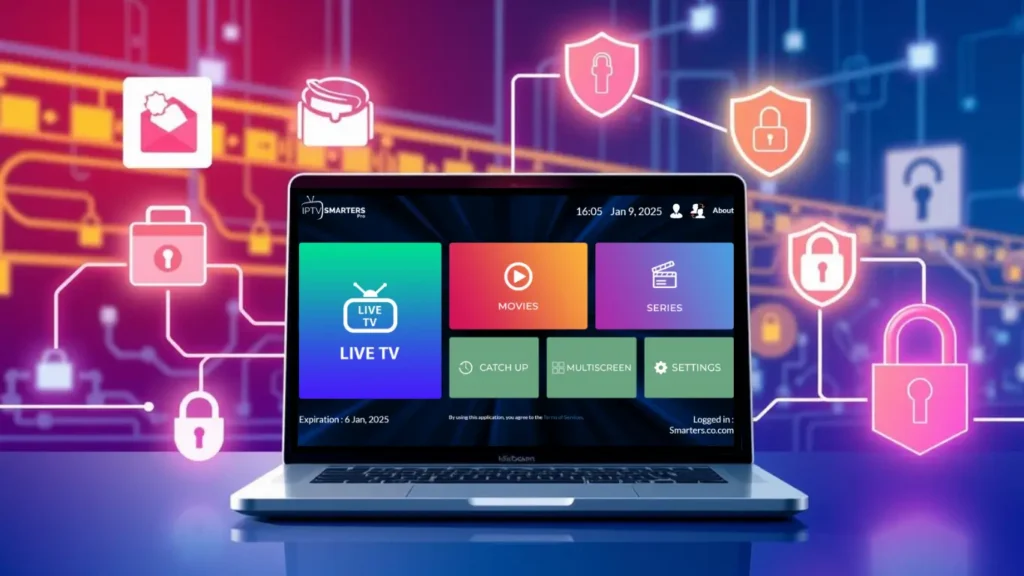
IPTV Smart Player: The Complete 2025 Guide (Everything You Need to Know)
Introduction
The world of digital entertainment has changed dramatically over the past decade. Traditional TV broadcasting is declining, streaming platforms are exploding, and consumers are constantly searching for flexible, affordable, and high-quality ways to watch live TV and on-demand content. At the center of this transformation is a new generation of software applications designed to make video streaming more accessible than ever. One such solution is IPTV Smart Player, a modern, powerful, and feature-rich media player that allows users to stream legal IPTV content across different devices with ease.
Whether you’re a casual viewer who wants to organize your media library, a sports fan looking for a smooth live-streaming experience, or someone who needs a reliable player for IPTV playlists, IPTV Smart Player has become one of the most talked-about tools in the streaming ecosystem.
In this in-depth 3,000-word guide, we will explore everything about IPTV Smart Player—what it is, how it works, its features, compatibility, setup instructions, best practices, and why it stands out as one of the top IPTV applications in 2025. This guide is designed to give you a complete understanding of the app so you can make an informed decision before using it.
1. What Is IPTV Smart Player?
IPTV Smart Player is a lightweight yet powerful multimedia player designed specifically for IPTV streaming. Rather than offering content itself, it acts as an interface that allows users to input legal IPTV playlists—often in the form of M3U links, Xtream Codes API, JSON formats, or local media files—and stream them in high quality.
It functions similarly to popular media players but includes advanced features tailored for IPTV, such as:
-
Electronic Program Guide (EPG) integration
-
Channel grouping and filtering
-
Catch-up TV support
-
Multi-device synchronization
-
Parental control
-
Cloud integration
-
Picture-in-Picture mode (PiP)
-
Timeshift support
-
Multi-screen capability
Because IPTV Smart Player focuses on user experience instead of content selling, it has become a favorite among users who want legal, flexible, and customizable streaming solutions.
2. Why IPTV Smart Player Has Become So Popular
The rise of IPTV Smart Player can be attributed to several important trends in digital streaming:
✅ Cord-cutting is increasing
More people are leaving traditional TV subscriptions in favor of internet-based streaming services.
✅ Affordability matters
Consumers want apps that offer powerful features without expensive monthly fees.
✅ Multi-device support is essential
Users expect to access content on smartphones, tablets, smart TVs, and laptops effortlessly.
✅ Demand for customization
Many standard streaming platforms have limited user control, whereas IPTV Smart Player gives full customization over playlists, themes, layout, and channel structure.
✅ Performance and stability
IPTV Smart Player is optimized for fast loading, quick channel switching, and smooth playback, even on older devices.
3. How IPTV Smart Player Works
Although it may seem like a complex tool, IPTV Smart Player operates on clear and simple principles.
3.1 IPTV Smart Player Does NOT Provide Content
This is the biggest point of confusion for new users.
IPTV Smart Player does not host, sell, or distribute TV channels.
It is purely a media player—just like VLC, MX Player, or Kodi.
Users must provide their own legal IPTV playlists, either from:
-
Licensed IPTV providers
-
Public domain streams
-
Local network sources
-
Personal media libraries
The player simply decodes the streams and organizes them.
3.2 IPTV Playlist Formats Supported
IPTV Smart Player supports a wide variety of formats, making it one of the most flexible IPTV players available.
Supported formats include:
-
M3U / M3U8 playlist links
-
Xtream Codes API
-
JSON Playlist
-
XMLTV EPG
-
Local MP4, MKV, AVI, MOV
-
HLS streams
-
UDP / RTP streams
3.3 Device Compatibility
One of the reasons IPTV Smart Player is considered elite is its cross-platform availability. The application typically supports:
-
Android phones & tablets
-
Android TV / Google TV
-
Firestick & Fire TV
-
iOS / iPadOS
-
Apple TV (tvOS)
-
Samsung Smart TV
-
LG WebOS TV
-
Windows PC
-
macOS
-
Web Browser versions
This allows users to synchronize their playlists across multiple devices without losing data.
4. Key Features of IPTV Smart Player
To understand why the app is so highly rated, let’s explore its top features in depth.
4.1 Modern and Responsive Interface
IPTV Smart Player is known for its clean, minimal, and intuitive interface. Key UI features include:
-
Dark and light themes
-
Customizable category layout
-
Fast channel navigation
-
Grid, list, and tile view modes
-
Touch-friendly controls
-
Remote-friendly navigation
Whether you’re using a smartphone or a Smart TV remote, the app is designed to be smooth and user-friendly.
4.2 Advanced EPG Support
EPG (Electronic Program Guide) is essential for IPTV users. IPTV Smart Player supports:
-
XMLTV EPG
-
Remote EPG URLs
-
Automatic EPG syncing
-
Multi-day schedule viewing
-
Program descriptions, images, and metadata
This ensures that users always know what’s playing and what’s coming next.
4.3 Multi-Screen & Picture-in-Picture
For users who love multitasking:
-
Multi-screen allows streaming multiple channels at once (e.g., sports fans watching several games).
-
Picture-in-Picture (PiP) lets you watch content while using other apps.
This feature is especially popular during live events and sports tournaments.
4.4 Cloud Playlist Syncing
Many versions of IPTV Smart Player offer cloud syncing, allowing:
-
Playlist backup
-
EPG backup
-
Syncing across multiple devices
This eliminates the need to re-enter playlist URLs every time you install the app on a new device.
4.5 Parental Controls
To protect younger viewers, IPTV Smart Player includes:
-
Channel locking
-
PIN protection
-
Category blocking
This makes the app family-friendly and suitable for shared household use.
4.6 Built-In Video Player Engines
The player includes adaptive streaming technology that enhances playback quality.
Supported features:
-
Hardware acceleration
-
Auto quality selection
-
Buffer control settings
-
Audio & subtitle selection
-
Dolby and DTS support (on compatible devices)
This results in smooth performance even on slower networks.
4.7 Multi-Language Support
IPTV Smart Player is typically available in many international languages, making it widely accessible.
5. Benefits of Using IPTV Smart Player
IPTV Smart Player is more than just a regular streaming app. Here are the top benefits that attract millions of users.
✅ 1. Easy to Use for Beginners
The setup process is straightforward, with clear instructions and simple configuration options.
✅ 2. Excellent Performance
Thanks to optimized coding, IPTV Smart Player offers:
-
Fast channel switching
-
Smooth playback
-
Minimal buffering
-
Stable performance even on older devices
✅ 3. Highly Customizable
Users have full control over:
-
Playlist sorting
-
Channel renaming
-
Category creation
-
Custom logos and artwork
-
Themes and layouts
This makes the experience personal and tailored.
✅ 4. Supports Legal IPTV Services
The app complies with legal standards and encourages using authorized IPTV providers only.
✅ 5. Multi-device Flexibility
You can install IPTV Smart Player on virtually any device you own—smartphone, TV, laptop, or tablet.
6. How to Install IPTV Smart Player
Installation may vary depending on your device. Below is a general overview.
6.1 On Android Smartphones and Tablets
-
Open Google Play Store.
-
Search for IPTV Smart Player.
-
Tap Install.
-
Launch the app and enter your playlist details.
6.2 On Android TV / Google TV
-
Open Google Play Store on your TV.
-
Search IPTV Smart Player.
-
Install and open the application.
-
Use your remote to log in and add your playlist.
6.3 On Firestick / Fire TV
-
Go to Find → Search.
-
Type IPTV Smart Player.
-
Install it from Amazon Appstore.
-
Launch and configure.
6.4 On iOS / iPhone / iPad
-
Open Apple App Store.
-
Search “IPTV Smart Player”.
-
Install and open the app.
-
Add your IPTV playlist.
6.5 On Smart TVs (Samsung or LG)
Supported models can download IPTV Smart Player directly from the TV’s app store.
7. How to Set Up IPTV Smart Player (Step-by-Step)
Here is how to configure the app after installation.
Step 1: Open the App
Launch IPTV Smart Player from your device’s app menu.
Step 2: Choose Your Playlist Type
You can select:
-
M3U URL
-
Xtream Codes API
-
Local file (M3U/M3U8)
Step 3: Enter Playlist Information
Enter the details provided by your official IPTV provider, such as:
-
Playlist name
-
Username + password (for API)
-
Playlist URL
-
EPG URL
Step 4: Save and Refresh
The app will automatically:
-
Import channels
-
Import VOD
-
Sync the EPG
-
Organize categories
Step 5: Start Watching
Once the playlist loads, you can access:
-
Live TV channels
-
Movies
-
Series
-
Catch-up
-
Radio channels
8. IPTV Smart Player vs. Other IPTV Apps
Here’s how IPTV Smart Player compares to popular competitors:
| Feature | IPTV Smart Player | IPTV Smarters | TiviMate | GSE Smart IPTV |
|---|---|---|---|---|
| Multi-device support | ✅ | ✅ | ✅ | ✅ |
| EPG quality | ⭐⭐⭐⭐ | ⭐⭐⭐ | ⭐⭐⭐⭐⭐ | ⭐⭐⭐ |
| User-friendly UI | ⭐⭐⭐⭐⭐ | ⭐⭐⭐⭐ | ⭐⭐⭐⭐ | ⭐⭐⭐ |
| Cloud sync | ✅ | ❌ | ✅ | ❌ |
| Installation ease | ✅ | ✅ | ✅ | ✅ |
| Advanced player engine | ✅ | ✅ | ✅ | ✅ |
Overall, IPTV Smart Player scores highly for ease of use, modern interface, and stability.
9. Tips to Get the Best Experience with IPTV Smart Player
To maximize performance:
✅ Use a high-speed internet connection
At least 25 Mbps for HD, 50+ Mbps for 4K.
✅ Connect via Ethernet when possible
This reduces lag and buffering.
✅ Update the app regularly
New versions include performance fixes and features.
✅ Organize your playlists
Group channels by category for smoother navigation.
✅ Use legal IPTV providers
It ensures safety, stability, and compliance.
10. Is IPTV Smart Player Safe and Legal?
Yes — as long as you use it correctly.
✅ It is completely safe
The app does not contain malware or harmful code.
✅ It is legal
The application itself is legal because it does not provide or promote pirated content.
However:
❗ Using illegal IPTV playlists is not legal, regardless of the player being used.
Always ensure your IPTV source is licensed and authorized.
11. Who Should Use IPTV Smart Player?
The app is ideal for:
-
Families using legal IPTV services
-
Sports fans
-
People who want fast channel switching
-
Users wanting personalized playlists
-
Tech-savvy users who like advanced features
-
Travelers using portable streaming apps
-
Smart TV owners who need a stable IPTV player
Its versatility makes it suitable for almost everyone.
12. Future of IPTV Smart Player (2025 and Beyond)
As more users shift away from cable TV, IPTV Smart Player is expected to grow with new updates such as:
-
AI-powered recommendations
-
Better cloud integration
-
Improved EPG metadata
-
Advanced parental control
-
Multi-profile support
-
Faster playback engine
-
Native support for more smart TV OS versions
The developer ecosystem around IPTV players is evolving rapidly, and IPTV Smart Player is positioned to remain one of the top applications in this space.
Conclusion
IPTV Smart Player has become one of the most reliable and feature-rich IPTV applications in 2025. With its modern interface, powerful performance, and wide compatibility, it stands out among dozens of IPTV players on the market. While it does not provide content itself, it offers the tools needed to organize and stream your legal IPTV playlists in a smooth, customizable, and user-friendly environment.
From multi-screen viewing to cloud syncing, IPTV Smart Player offers everything modern streamers need. If you’re searching for an all-in-one IPTV solution to enhance your streaming experience, this app is undoubtedly one of the best options available today.
