

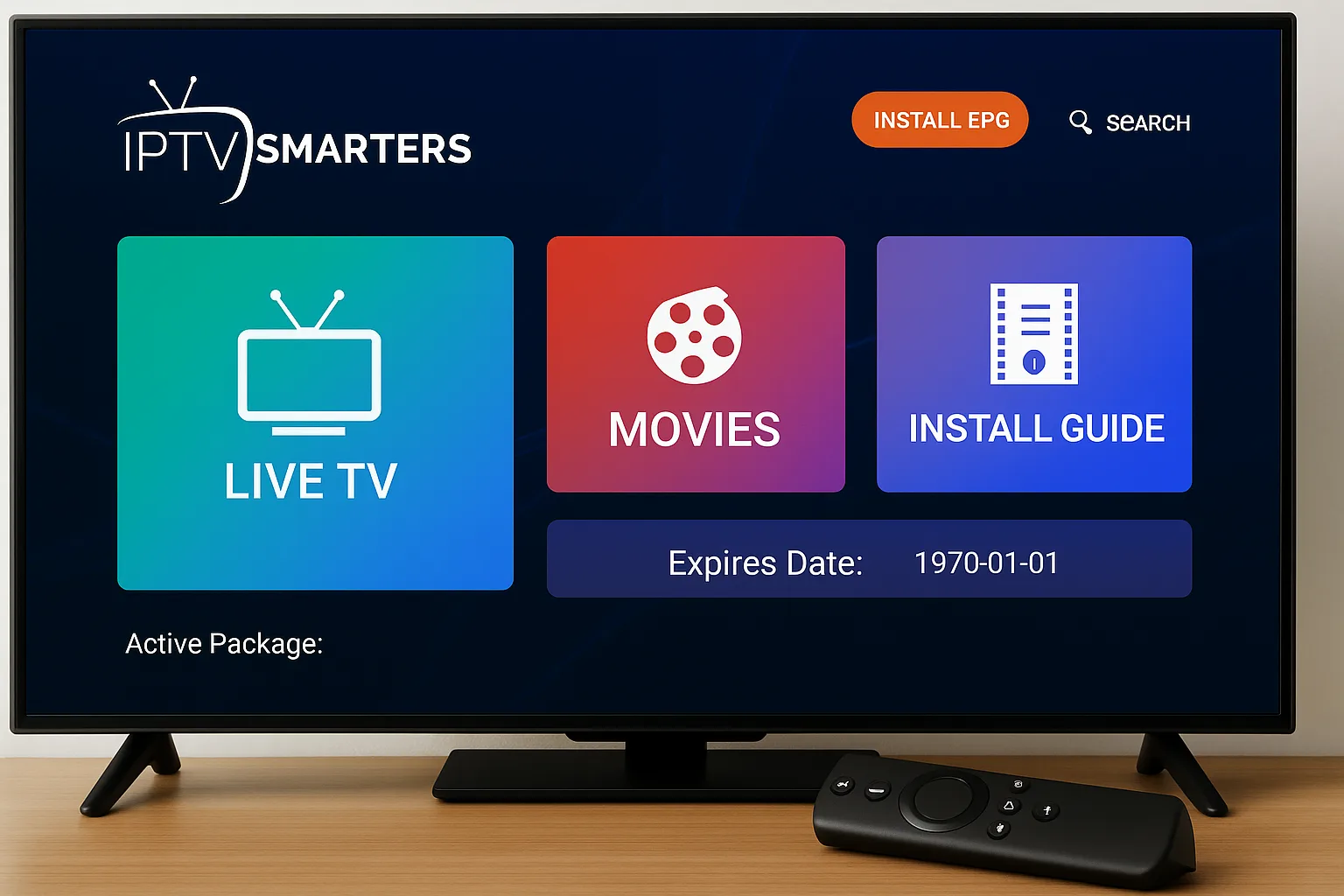
IPTV Smarters: The Ultimate Guide to Streaming in 2025
The world of television has changed dramatically over the past decade. Traditional cable and satellite services, once the staple of home entertainment, are increasingly being replaced by more flexible, cost-effective, and feature-rich solutions. Among these modern alternatives, IPTV (Internet Protocol Television) has gained significant traction. One platform that has consistently stood out in the IPTV market is IPTV Smarters. In this comprehensive guide, we will explore what IPTV Smarters is, how it works, its features, benefits, installation process, legal considerations, and tips for maximizing your viewing experience.
What is IPTV Smarters?
IPTV Smarters is a media player application designed to enhance the IPTV experience. Unlike standard IPTV services, which often rely on web-based interfaces or cumbersome applications, IPTV Smarters provides a user-friendly, versatile, and reliable interface to stream live TV, movies, and series directly to your device. Compatible with Android, iOS, Windows, macOS, Smart TVs, and Firestick devices, IPTV Smarters offers flexibility that traditional TV services cannot match.
At its core, IPTV Smarters is not a service provider—it does not supply channels itself. Instead, it works with IPTV subscriptions from third-party providers, enabling users to access their content through a polished, feature-rich interface. This separation allows IPTV Smarters to focus solely on delivering the best user experience.
Key Features of IPTV Smarters
IPTV Smarters is packed with features that make it one of the most popular IPTV apps on the market. Here’s a detailed look at what you can expect:
1. User-Friendly Interface
One of the standout features of IPTV Smarters is its clean and intuitive interface. Users can navigate through live TV, catch-up content, movies, and series effortlessly. The app is designed for both beginners and experienced users, making it easy to customize settings according to personal preferences.
2. Multi-Screen Viewing
IPTV Smarters supports multiple screens, which means you can watch several channels at once. This is particularly useful for sports enthusiasts who want to follow multiple matches simultaneously or for households with varied viewing preferences.
3. EPG (Electronic Program Guide)
The Electronic Program Guide (EPG) is a must-have for any IPTV service. IPTV Smarters integrates an EPG that allows users to view current and upcoming programs, making it easier to plan viewing schedules. The EPG is visually appealing, responsive, and synchronized with the user’s time zone.
4. Multi-Screen and Multi-User Support
IPTV Smarters allows multiple users on the same device, making it ideal for families. Each user can have a separate profile, maintaining personalized settings, favorites, and watch history.
5. Parental Control
For households with children, parental control is a vital feature. IPTV Smarters provides the ability to restrict certain channels, ensuring safe viewing experiences for young users.
6. Catch-Up and VOD
In addition to live TV, IPTV Smarters supports catch-up TV and Video On Demand (VOD). This means users can watch previously aired shows or select movies whenever they want, rather than adhering to rigid broadcast schedules.
7. External Player Integration
IPTV Smarters allows users to integrate external media players like VLC or MX Player. This is beneficial for those who prefer alternative playback engines for better performance or specific codecs.
8. Multi-Device Synchronization
Whether on a smartphone, tablet, Smart TV, or PC, IPTV Smarters synchronizes your settings and preferences across devices. This seamless experience ensures that you can switch between devices without losing progress or settings.
How IPTV Smarters Works
IPTV Smarters operates on the principle of streaming content over the internet using your IPTV subscription. Here’s a breakdown of its workflow:
-
Subscription: First, you need an IPTV subscription from a legitimate IPTV provider. This subscription includes access to a playlist (often in M3U or XML format) that lists all the available channels and content.
-
Installation: Download and install IPTV Smarters on your preferred device. The app is available for Android, iOS, Windows, macOS, and Firestick devices.
-
Login: Input your subscription details, typically a username, password, and server URL. Once verified, IPTV Smarters imports your channels and content.
-
Streaming: You can now navigate through live TV, catch-up content, and VOD. The app handles buffering, resolution adjustments, and interface customization, providing a smooth streaming experience.
Devices Compatible with IPTV Smarters
IPTV Smarters is highly versatile, supporting a wide range of devices:
-
Smartphones & Tablets: Android and iOS devices provide portability and convenience.
-
Smart TVs: Samsung, LG, and Android TVs are supported for a native viewing experience.
-
PC & Laptops: Windows and macOS versions allow IPTV viewing on desktop and laptop screens.
-
Streaming Devices: Amazon Firestick, Fire TV, and Android TV Boxes provide a living room-friendly interface.
-
Web Browser: IPTV Smarters Web Player allows you to stream directly from a browser without installing any app.
Benefits of IPTV Smarters
There are several compelling reasons why IPTV Smarters is popular among users:
1. Centralized Content Management
IPTV Smarters consolidates all your IPTV content into one interface. No more juggling multiple apps or subscription logins.
2. High Customization
From EPG views to favorite channels, themes, and playback options, IPTV Smarters offers extensive customization to suit individual preferences.
3. Stability and Performance
Unlike some IPTV apps prone to crashes and buffering, IPTV Smarters is optimized for stability, ensuring smooth streaming even with moderate internet connections.
4. Multi-Language Support
The app supports multiple languages, making it accessible to users across the globe.
5. Cost-Effective
IPTV Smarters itself is free or low-cost, depending on the version. Combined with affordable IPTV subscriptions, it offers a budget-friendly alternative to traditional cable TV.
Installation Guide for IPTV Smarters
On Android Devices
-
Go to the Google Play Store.
-
Search for IPTV Smarters Pro.
-
Download and install the app.
-
Open the app and accept permissions.
-
Choose Load Your Playlist or File/URL.
-
Enter your subscription details.
On iOS Devices
-
Open the App Store.
-
Search for IPTV Smarters Pro.
-
Install the app.
-
Launch the app and enter your credentials.
On Windows or Mac
-
Download the IPTV Smarters Pro desktop version from the official website.
-
Install the app and follow the setup wizard.
-
Enter your subscription credentials.
On Firestick
-
Navigate to Search on Firestick.
-
Type IPTV Smarters.
-
Download and install the app.
-
Enter your subscription details.
Legal Considerations
It is important to note that IPTV Smarters itself is legal. It is merely a media player. However, the legality of the content accessed through IPTV subscriptions depends on the source. Using unauthorized IPTV providers can lead to legal repercussions. To stay safe:
-
Only use licensed IPTV providers.
-
Avoid free IPTV services with pirated content.
-
Check local laws regarding IPTV usage in your country.
Troubleshooting Common Issues
Even with a robust platform like IPTV Smarters, users may occasionally encounter issues. Here are some tips:
-
Buffering: Reduce the streaming quality or switch to a wired internet connection.
-
EPG Not Loading: Ensure the server URL and subscription credentials are correct.
-
App Crashing: Clear cache or reinstall the app.
-
Missing Channels: Contact your IPTV provider to verify if channels are active.
IPTV Smarters vs Other IPTV Players
When compared to other IPTV apps, IPTV Smarters consistently ranks high for several reasons:
-
Better User Interface: Clean, intuitive, and easy to navigate.
-
Robust EPG Support: Synchronizes with multiple IPTV providers.
-
Cross-Device Compatibility: Works on almost every device imaginable.
-
Frequent Updates: Regular updates ensure compatibility and security.
Other popular IPTV apps may lack one or more of these features, making IPTV Smarters the preferred choice for many.
Tips to Maximize Your IPTV Smarters Experience
-
Stable Internet Connection: Minimum 10 Mbps is recommended for HD streaming.
-
Use External Players: VLC or MX Player can improve playback smoothness.
-
Regular Updates: Keep your app updated to enjoy new features.
-
Create Favorites: Organize frequently watched channels for quicker access.
-
Check EPG Settings: Sync the EPG with your time zone to avoid scheduling errors.
Future of IPTV Smarters
As streaming technology evolves, IPTV Smarters continues to adapt. Integration with AI-driven recommendations, cloud DVR, 8K streaming, and advanced parental controls are some expected upgrades in the near future. Its commitment to user experience and cross-platform functionality ensures IPTV Smarters will remain a key player in the IPTV ecosystem.
Conclusion
IPTV Smarters is more than just an IPTV player—it is a comprehensive solution that revolutionizes how users consume digital content. Its user-friendly interface, wide device compatibility, advanced features like EPG, VOD, multi-screen, and parental controls make it a top choice for IPTV enthusiasts worldwide. When paired with a reliable IPTV subscription, IPTV Smarters transforms ordinary television viewing into a flexible, interactive, and enjoyable experience.
Whether you are a cord-cutter seeking alternatives to traditional cable or a tech-savvy viewer looking for premium features, IPTV Smarters delivers a seamless streaming experience that is hard to beat. As IPTV technology continues to grow, tools like IPTV Smarters will be at the forefront of shaping the future of entertainment.
