

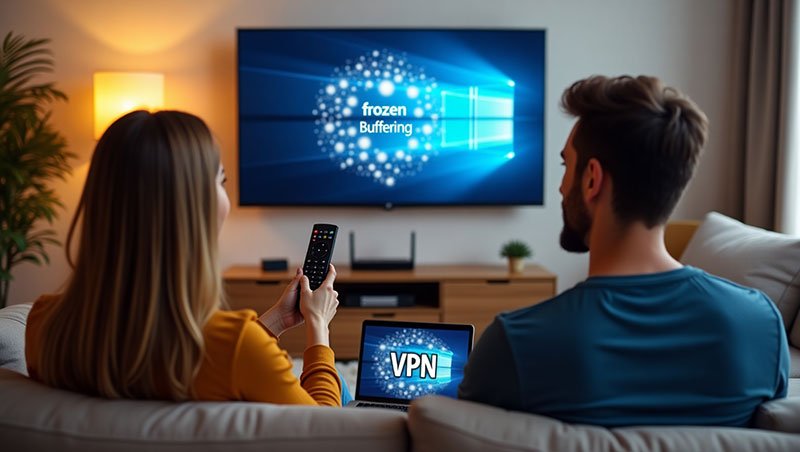
Living With IPTV in Europe: 3 Daily Problems Users Face (And How People Actually Fix Them)
If you use IPTV in Europe, chances are your experience is mostly positive.
You turn on the TV, open the app, and everything works.
Until it doesn’t.
That’s usually how it goes. Not dramatic failures. Not total breakdowns. Just small, recurring issues that pop up at the worst times and slowly test your patience.
Buffering during a match.
Channels not loading for no obvious reason.
IPTV working fine on one device but poorly on another.
These problems don’t mean IPTV is bad.
They mean IPTV is real technology, used by real people, on real networks.
This article breaks down three daily IPTV problems European users face, using lived examples and practical fixes that normal users actually apply — not overly technical advice that sounds good but doesn’t help at 9 p.m. when the screen freezes.
Problem 1: Buffering at the worst possible time
Let’s start with the one everyone knows.
You sit down to watch a football match, a Formula 1 race, or a live TV show. Everything loads fine at first. The picture is sharp. The sound is good.
Then it happens.
The image freezes.
The loading circle appears.
Your mood drops instantly.
Why buffering happens so often in Europe
From real usage, buffering usually comes from a combination of factors, not just one:
-
Peak-hour congestion (especially evenings and weekends)
-
Wi-Fi instability, common in European apartments
-
ISP throttling or routing issues
-
Overloaded IPTV servers, especially with cheap providers
It’s important to understand something:
even fast internet doesn’t guarantee smooth IPTV if the connection isn’t stable.
A lived example: the Wi-Fi trap
Many users assume Wi-Fi is “good enough”. And most of the time, it is.
But one real change helped many European users instantly:
switching from Wi-Fi to a wired Ethernet cable.
It’s boring.
It’s not fancy.
But it works.
Wi-Fi suffers from interference — walls, neighbors’ routers, smart devices, Bluetooth, even microwaves. Ethernet doesn’t care about any of that.
Another small fix that helped during peak hours was changing the stream format inside the IPTV app (for example, switching from HLS to MPEG-TS if available). This reduced buffering on live sports for many users.
👉 Internal link suggestion:
Troubleshooting IPTV buffering and freezing
https://forceiptv.com/
Problem 2: Channels suddenly stop working or disappear
This one causes unnecessary panic.
Yesterday, everything worked.
Today, some channels show a black screen.
Others don’t load at all.
New users often assume the worst:
“My subscription is gone.”
“I got scammed.”
“It stopped working overnight.”
Most of the time, that’s not the case.
Why channels disappear temporarily
In real usage, missing channels usually come from:
-
Playlist updates not refreshing automatically
-
Temporary channel maintenance
-
App cache problems
-
App-side bugs after updates
This is especially common in Europe, where providers update channel sources frequently to maintain quality.
How people actually fix it
The most common fix is also the simplest:
Refresh the playlist or restart the app.
It sounds almost too easy, but it solves the issue surprisingly often.
Another lived fix that works well on Android devices:
clear the app cache (not the app data). Channels reappear instantly in many cases.
If the problem continues, users who contact support often find out the channel is under maintenance and returns later the same day.
This is where having an IPTV provider with clear communication really matters.
👉 Internal link suggestion:
Fixing missing or black screen IPTV channels
https://forceiptv.com/
Problem 3: IPTV works fine on one device but not another
This one confuses people.
Your IPTV runs smoothly on your phone.
But on your Smart TV, it lags.
Or freezes.
Or crashes.
Same internet.
Same subscription.
Different experience.
Why this happens more than people expect
Not all devices are equal.
Older Smart TVs often have:
-
Weak processors
-
Limited memory
-
Outdated operating systems
Even with fast internet, they struggle to handle modern IPTV streams.
A real fix that surprised many users
One of the most common solutions in Europe is using an external device.
Users who switched from built-in Smart TV apps to:
-
Android TV boxes
-
Fire Stick
-
NVIDIA Shield
often saw immediate improvement — without changing their IPTV provider or internet plan.
Another practical fix: use a well-optimized IPTV app instead of generic ones. Some apps are simply better at handling streams efficiently.
👉 Internal link suggestion:
Best IPTV apps and devices for stable streaming
https://forceiptv.com/
The emotional side of IPTV problems (yes, it matters)
Let’s be honest.
IPTV problems don’t just waste time.
They ruin moments.
A missed goal.
A frozen movie night.
A child complaining the cartoon stopped.
That frustration builds quickly.
The key difference between users who quit IPTV and users who stay happy is knowledge. Once you understand what usually goes wrong and how to fix it, most problems feel manageable instead of stressful.
A mindset shift that helps IPTV users in Europe
Here’s a small but powerful mindset change:
Most IPTV issues are temporary and fixable.
They are rarely personal.
They are rarely permanent.
They usually don’t require cancelling everything.
Restarting, refreshing, switching apps, or checking support updates solves more issues than people expect.
Internet speed vs internet stability (important distinction)
Many European users test their internet speed and assume everything should work perfectly.
But IPTV cares more about stability than raw speed.
-
Consistent ping matters more than peak download speed
-
Packet loss matters more than advertised bandwidth
Testing your connection during peak hours reveals much more than a morning speed test.
👉 External resource:
Speedtest.net – test real-world internet performance
Why provider quality still matters
No fix can fully compensate for a poor provider.
Overcrowded servers, lack of maintenance, and zero support will eventually show — especially during major sports events.
Reliable IPTV providers invest in:
-
Server capacity
-
Load balancing
-
Monitoring
-
Real customer support
This is why choosing a provider based only on price often backfires.
IPTV in Europe: why issues vary by country
European IPTV users experience different problems depending on location:
-
Dense apartment buildings = more Wi-Fi interference
-
ISP routing differences affect stream paths
-
Peak usage times differ by country
-
Sports events create sudden traffic spikes
Understanding that these factors exist helps users troubleshoot more calmly.
When to contact support (and when not to)
Contact support when:
-
Multiple channels are down for hours
-
Login details stop working
-
The issue persists across devices
Don’t panic-contact support when:
-
One channel freezes briefly
-
The app hasn’t been restarted
-
The playlist hasn’t refreshed
Good providers usually communicate outages clearly and fix them quickly.
Useful external resources for IPTV users
To understand streaming performance without marketing noise, these neutral resources help:
-
Wikipedia – IPTV and internet streaming basics
-
Speedtest.net – Internet speed and stability testing
They won’t sell you anything, but they explain what’s happening behind the scenes.
Final thoughts: IPTV problems don’t define IPTV
IPTV in Europe works well most of the time.
When it doesn’t, it usually needs adjustment — not abandonment.
Buffering, missing channels, and device differences are part of using modern internet-based TV. The difference is how prepared you are to deal with them.
With basic knowledge, realistic expectations, and a provider that actually communicates, IPTV remains one of the most flexible and cost-effective ways to watch TV in 2025.
