

Smart IPTV: The Ultimate Guide to Streaming Without Limits
Introduction to Smart IPTV
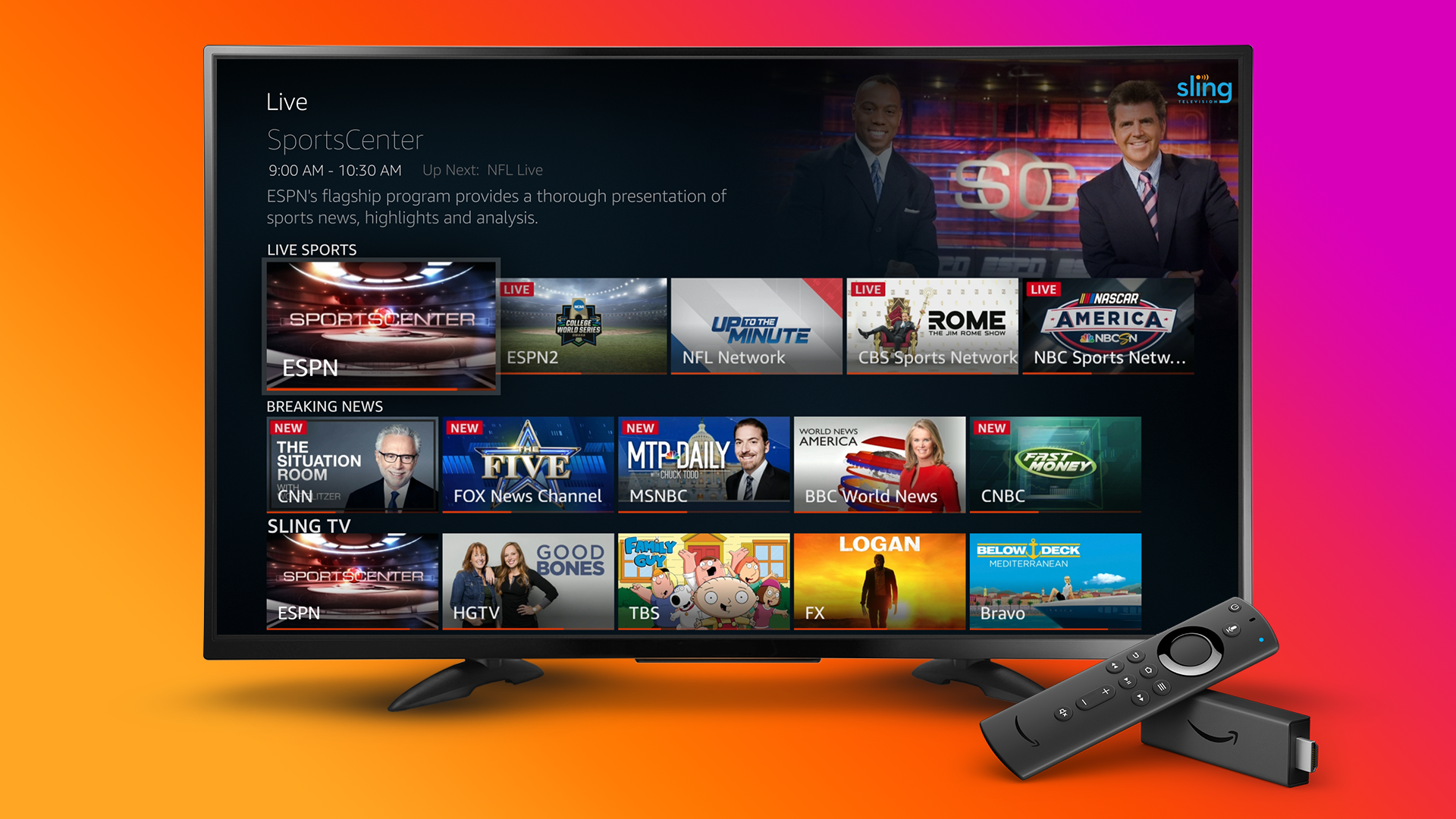
In the digital era, television has evolved beyond antennas, satellites, and bulky cable boxes. Today, Smart IPTV stands at the forefront of this transformation, revolutionizing how we consume media. IPTV (Internet Protocol Television) is the technology that transmits television content through internet protocols instead of traditional broadcast methods. Smart IPTV, in particular, refers to IPTV services and applications that run directly on smart TVs, streaming boxes, or mobile devices.
With Smart IPTV, users can enjoy thousands of live channels, movies, and TV shows from around the world, all delivered seamlessly over the internet. This evolution not only provides flexibility and variety but also reduces dependency on cable operators. Whether you want live sports, entertainment, or on-demand content, Smart IPTV offers a modern, cost-effective, and high-quality alternative.
In this comprehensive guide, we will explore what Smart IPTV is, how it works, its advantages, setup process, compatible devices, and the best ways to maximize your streaming experience.
What Is Smart IPTV?
Smart IPTV (SIPTV) is an application designed to stream IPTV content on Smart TVs and other supported devices. It doesn’t provide content by itself but serves as a powerful player that allows users to load IPTV playlists (M3U files or URLs) from service providers.
In simple terms:
-
IPTV providers deliver content.
-
Smart IPTV is the app or interface that displays and streams that content.
The Smart IPTV app is especially popular on LG Smart TVs, Samsung Smart TVs, Android TV boxes, Firestick, and MAG devices. Users upload their IPTV playlist (which contains the stream URLs) to the app, and it then displays all available channels, video-on-demand (VOD), and TV series in a user-friendly layout.
How Does Smart IPTV Work?
Smart IPTV operates using Internet Protocol (IP) technology. Unlike traditional broadcasting, which transmits all channels simultaneously through satellite or cable, IPTV delivers specific content to a user’s device only when requested.
Here’s how it works in steps:
-
Subscription or Playlist Acquisition
Users obtain an IPTV playlist (M3U file or Xtream Codes API) from a provider. -
Playlist Upload to Smart IPTV
Using the app’s website, users upload their playlist and link it to their device’s MAC address. -
Data Delivery Over Internet
The IPTV provider sends media streams via IP packets, which the Smart IPTV app decodes and displays. -
Playback and User Interface
The app provides categories such as Live TV, Movies, and Series, allowing seamless navigation and streaming.
This model eliminates the need for satellite dishes or coaxial cables, relying entirely on an internet connection — preferably high-speed and stable for smooth streaming.
Key Features of Smart IPTV
Smart IPTV has become a favorite among IPTV enthusiasts because of its clean interface, compatibility, and advanced playback options. Below are some of its standout features:
1. Multi-Device Compatibility
Smart IPTV is available on a wide range of platforms:
-
LG Smart TVs (webOS)
-
Samsung Smart TVs (Tizen)
-
Android TV boxes
-
Amazon Fire TV Stick
-
MAG boxes
-
Smartphones and tablets (via APK)
This cross-platform support means users can enjoy IPTV anywhere.
2. Simple Playlist Management
The app allows easy uploading and management of M3U playlists. Users can:
-
Upload multiple playlists.
-
Merge different providers.
-
Update playlists automatically when new channels are added.
3. High-Quality Streaming
Smart IPTV supports HD, Full HD, and 4K content, depending on the IPTV provider and internet bandwidth.
4. Electronic Program Guide (EPG)
The EPG displays real-time schedules for live channels, just like traditional cable TV guides.
5. Time-Shift and Catch-Up TV
With supported playlists, users can rewind or watch previously aired programs.
6. One-Time Activation
Smart IPTV requires a one-time activation fee (usually around €5.49), providing lifetime access to the app.
7. Clean User Interface
The app offers an intuitive design, making navigation easy even for beginners. Channels can be sorted by country, genre, or provider.
Advantages of Using Smart IPTV
1. Endless Entertainment
Smart IPTV gives access to thousands of channels from various regions — movies, sports, news, kids’ content, and more.
2. Global Access
Users can watch content from different countries without geographical restrictions, provided their IPTV playlist includes it.
3. Cost-Effective Alternative
Compared to traditional cable or satellite subscriptions, IPTV services combined with Smart IPTV cost significantly less.
4. On-Demand Flexibility
In addition to live channels, many IPTV services offer on-demand movies and series — all accessible in one interface.
5. Multi-Device Experience
Watch IPTV on multiple devices, from smart TVs to smartphones, ensuring entertainment is always within reach.
6. No Hardware Dependency
No need for set-top boxes or antennas — all you need is the Smart IPTV app and a good internet connection.
How to Install and Activate Smart IPTV
Setting up Smart IPTV is straightforward. Here’s a step-by-step guide for the most popular devices.
1. On Samsung Smart TV
-
Go to the Samsung Smart Hub.
-
Search for “Smart IPTV.”
-
Install the app (if unavailable, it can be sideloaded via USB for older models).
-
Open the app and note the MAC address.
-
Visit the official website: https://siptv.app.
-
Upload your M3U playlist and link it to your MAC address.
-
Restart the app — your channels will load automatically.
2. On LG Smart TV
-
Visit the LG Content Store.
-
Search and install Smart IPTV.
-
Open the app and note your MAC address.
-
Upload the playlist through the website.
-
Restart the TV to load your channels.
3. On Firestick / Fire TV
-
Go to Settings → My Fire TV → Developer Options.
-
Enable “Apps from Unknown Sources.”
-
Download the Smart IPTV APK using Downloader.
-
Install and launch the app.
-
Upload your playlist via the official website.
4. On Android Devices
-
Download the APK from the official Smart IPTV site.
-
Install it on your Android TV box, smartphone, or tablet.
-
Upload your M3U file via the Smart IPTV portal.
-
Open the app and start streaming.
Smart IPTV vs. Other IPTV Players
There are many IPTV players available today, but Smart IPTV stands out due to its performance and reliability. Let’s compare it with a few alternatives:
| Feature | Smart IPTV | IPTV Smarters | TiviMate | GSE Smart IPTV |
|———-|————-|—————|—————-|
| Ease of Setup | Simple | Moderate | Moderate | Easy |
| Interface | Clean & Modern | Customizable | Advanced | Basic |
| Device Support | Wide | Wide | Android only | Cross-platform |
| Activation | One-time fee | Free/Paid | Premium | Free |
| Performance | High | Medium | High | Medium |
Smart IPTV provides a perfect balance of simplicity, speed, and compatibility, making it ideal for everyday streaming users who value stability.
Common Problems and Solutions
Even with its simplicity, users sometimes face minor issues. Here’s how to troubleshoot common problems:
1. Channels Not Loading
-
Check your internet connection.
-
Ensure your playlist link is valid.
-
Restart your TV and Smart IPTV app.
2. App Stuck on Loading Screen
-
Clear the app cache or reinstall it.
-
Make sure your playlist file isn’t too large.
3. EPG Not Displaying
-
Verify your provider includes EPG data.
-
Re-upload the playlist with the correct EPG URL.
4. No Sound or Video Lag
-
Check internet speed (minimum 10 Mbps for HD streaming).
-
Use a wired Ethernet connection if possible.
5. MAC Address Changed
-
This can happen after firmware updates. Re-upload your playlist with the new MAC address.
Smart IPTV and Legal Considerations
While Smart IPTV is a legitimate application, the legality depends on your content source. The app itself does not provide channels or media. It merely acts as a player. However, if users stream copyrighted material without authorization, they may violate local copyright laws.
To stay legal:
-
Always use IPTV services that have the rights to distribute content.
-
Avoid free IPTV lists from unreliable sources.
-
Check the provider’s license and reputation.
Many legitimate IPTV services offer premium subscriptions for international and local channels at affordable rates.
Smart IPTV and Internet Requirements
The quality of your streaming experience depends heavily on internet speed and stability. Here’s a guideline:
| Quality | Recommended Speed |
|---|---|
| SD (Standard Definition) | 5 Mbps |
| HD (High Definition) | 10 Mbps |
| Full HD | 15 Mbps |
| 4K Ultra HD | 25 Mbps or higher |
A wired connection (Ethernet) is always better than Wi-Fi for consistent performance. Using a VPN may also help bypass regional restrictions and improve privacy.
Best Tips for Enhancing Smart IPTV Performance
-
Use a Reliable IPTV Provider – Quality sources ensure fewer buffering issues.
-
Keep App Updated – Regular updates fix bugs and enhance performance.
-
Use Ethernet Instead of Wi-Fi – Reduces lag and disconnections.
-
Organize Channels – Customize lists by favorites or regions.
-
Enable Caching Options – Helps stabilize streams on slower networks.
-
Regularly Refresh Playlist – Removes dead links and updates channels.
-
Use a VPN – Protects your data and provides more stable access across regions.
Smart IPTV and the Future of Streaming
As streaming continues to dominate global entertainment, Smart IPTV is expected to evolve with new features like cloud DVR, AI-based recommendations, and advanced UI designs. The shift from traditional cable to internet-based TV is irreversible, and Smart IPTV is one of the tools driving this change.
With 5G networks becoming mainstream and more households upgrading to smart devices, the demand for flexible IPTV solutions will only increase. Users will expect personalized experiences, instant playback, and global content libraries — all of which Smart IPTV can deliver.
Why Choose Smart IPTV in 2025 and Beyond
-
Reliability: Stable performance across various devices.
-
Affordability: One-time fee, lifetime access.
-
Flexibility: Supports almost any IPTV playlist or provider.
-
Scalability: Works on both entry-level TVs and premium 4K setups.
-
Ease of Use: No complex installations or constant app switching.
Smart IPTV perfectly combines simplicity and power — making it an ideal platform for both new users and advanced IPTV enthusiasts.
Conclusion
Smart IPTV is more than just an app — it’s a complete solution for modern entertainment. It empowers users to watch global television, movies, and series with unmatched flexibility and quality. Its straightforward setup, device compatibility, and one-time activation model make it stand out in the IPTV ecosystem.
As technology continues to advance, Smart IPTV will likely remain one of the most reliable and user-friendly platforms for streaming content over the internet. Whether you’re a casual viewer or a serious cord-cutter, Smart IPTV gives you the freedom to watch what you love, whenever and wherever you want.
