

The Best Sports Apps for Firestick in 2025: Watch Live Sports Anytime, Anywhere
Introduction: Turning Your Firestick Into a Sports Powerhouse
If you’re a sports fan, you know the struggle — one game’s on ESPN, another on DAZN, and that must-watch fight is on some streaming app you didn’t even know existed. Juggling subscriptions and finding reliable streams can feel like a full-time job. But that’s where the Amazon Firestick steps up as a true game-changer for fans who want all their live sports in one place.
Over the past few years, the Firestick has evolved from a simple streaming dongle into a complete entertainment hub. Whether you’re into football, UFC, NBA, cricket, Formula 1, or even niche sports like darts and rugby, the Firestick gives you the freedom to stream live matches, highlights, and even full replays — right from your TV.
What makes Firestick so popular among sports lovers is its portability, affordability, and power. You can plug it into any TV’s HDMI port, connect it to Wi-Fi, and instantly access a world of sports. The Firestick supports major apps like ESPN+, FuboTV, Peacock, DAZN, and YouTube TV, all in crisp HD and even 4K, depending on your plan.
But here’s the deal: not all apps are made equal. Some are premium and come with every major sports channel you can imagine, while others focus on specific sports like soccer, combat sports, or motorsports. In 2025, the options are endless — which is both great and overwhelming.
That’s why we’ve done the research for you. In this guide, you’ll discover the best sports apps for Firestick in 2025 — both free and paid — plus how to install them, what they offer, and a few pro tips for getting the smoothest streams possible.
By the end, your Firestick will be your personal ticket to every match, every goal, and every knockout — anytime, anywhere.
Why Sports Apps Matter for Firestick Users in 2025
Let’s be honest: traditional cable TV is slowly fading away. People don’t want to pay for hundreds of channels they’ll never watch — they just want easy, affordable access to the sports they love. That’s exactly what sports streaming apps on Firestick deliver.
1. Flexibility and Control
The beauty of the Firestick is freedom. You can install any app you want — from official ones in the Amazon Appstore to third-party apps (legally, of course) that expand your viewing options. Want to switch from football to UFC to F1? It’s just a few clicks away.
2. Affordable Streaming
Sports streaming subscriptions are often cheaper than cable bundles. Apps like Sling TV, Peacock, and ESPN+ offer plans starting from a few dollars a month. You can even mix and match multiple apps to cover every league you follow.
3. Accessibility and Portability
Heading to a friend’s house or traveling? Just take your Firestick with you. Log in to Wi-Fi, and your entire sports setup is ready to go. No need for contracts, installations, or bulky hardware.
4. HD & 4K Sports Experience
2025 is all about picture quality. With fast internet speeds and better Firestick hardware (like the Fire TV Stick 4K Max), streaming live sports in 4K has become smoother than ever — giving you that stadium feel from your couch.
5. On-Demand Highlights and Replays
Missed a game? No problem. Most modern sports apps now offer full match replays, highlight clips, and even analysis shows, so you never miss the action.
Top Sports Apps for Firestick in 2025
Here’s the exciting part — let’s dive into the best sports streaming apps for Firestick this year. We’ll include both official apps (from the Amazon Appstore) and a few alternatives that expand your sports library.
1. ESPN+
Best for: General sports coverage (UFC, NFL, NBA, MLB, college sports)
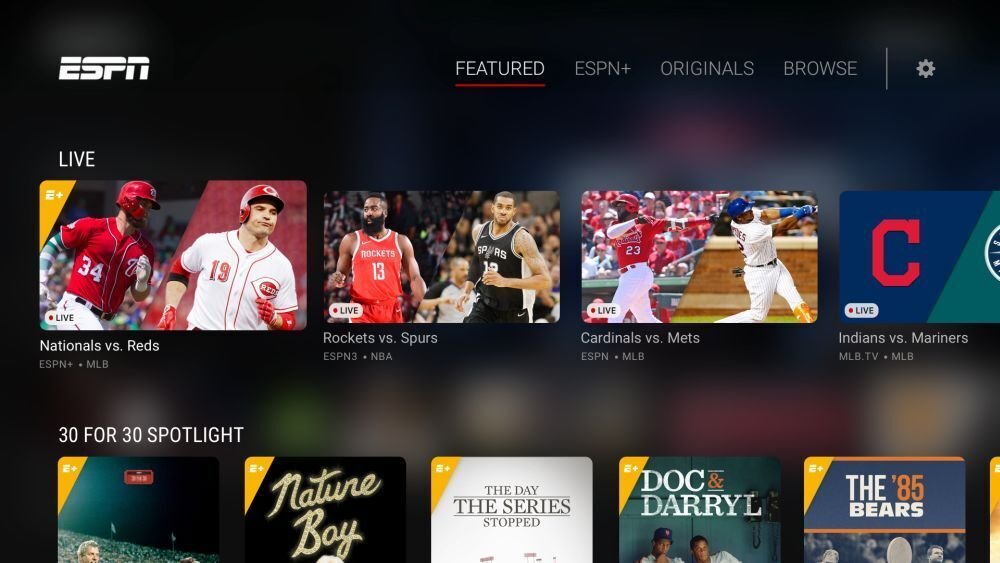
ESPN+ remains one of the most popular and reliable sports apps for Firestick in 2025. With live broadcasts, original shows, and on-demand replays, it’s perfect for anyone who wants a one-stop hub for American sports.
Key Features:
-
Live coverage of UFC events, MLB, NHL, and college sports
-
Exclusive ESPN+ Originals and documentaries
-
Affordable monthly subscription
-
Seamless integration with the ESPN app
Pro Tip: Pair ESPN+ with Hulu and Disney+ for the ultimate bundle deal — all accessible through your Firestick.
2. FuboTV
Best for: Cord-cutters who want every major sports channel
FuboTV is like having a sports-centric cable package without the cable bill. It offers over 250+ channels, including ESPN, Fox Sports, NFL Network, beIN Sports, and regional networks.
Key Features:
-
Massive channel lineup
-
4K streaming support
-
Cloud DVR to record games
-
Multi-view option to watch multiple games at once
If you’re serious about your sports — from football to motorsports — FuboTV is worth every penny.
3. DAZN
Best for: Boxing, MMA, and fight sports
DAZN has dominated combat sports streaming for years. In 2025, it’s expanded beyond boxing to include MMA, women’s sports, and even soccer leagues in certain regions.
Key Features:
-
Exclusive rights to major boxing events
-
Affordable monthly fee
-
Replay and highlight access
-
Works perfectly on Firestick
If you’re into fights, DAZN is a must-have.
4. Peacock TV
Best for: Premier League fans and Olympics coverage
Peacock, NBC’s streaming platform, has become a favorite for soccer fans, especially for Premier League matches. It also covers WWE, NFL Sunday Night Football, and major NBC Sports content.
Key Features:
-
Live Premier League games
-
WWE Network included
-
On-demand highlights and talk shows
-
Free tier available with limited content
5. Sling TV
Best for: Budget-conscious sports fans
Sling TV is one of the most affordable ways to access live sports on Firestick. With customizable channel packages (Orange and Blue plans), you can pick the one that suits your interests.
Key Features:
-
ESPN, TNT, NFL Network, and more
-
No contracts
-
Works with Alexa voice remote
-
Cloud DVR option
You can start for as low as $40/month, making it perfect for casual fans.
6. YouTube TV
Best for: All-around coverage and unlimited DVR
YouTube TV is the future of live TV. With over 100+ channels, it covers almost every major sports network, including local ones.
Key Features:
-
Unlimited DVR storage
-
Live coverage from ESPN, CBS Sports, Fox Sports, etc.
-
Easy interface
-
4K add-on available
If you want reliability, YouTube TV is as stable as it gets.
7. Paramount+
Best for: UEFA Champions League, NFL, and CBS Sports content
Paramount+ is the go-to app for soccer fans who follow Champions League, Europa League, and Serie A. It also streams NFL games and exclusive CBS sports shows.
Key Features:
-
Live Champions League and NFL
-
Affordable plans
-
Simple interface optimized for Firestick
8. Amazon Prime Video (Sports Section)
Best for: Exclusive sports rights and Thursday Night Football
If you already have a Firestick, you likely have access to Prime Video. Beyond movies and shows, Amazon now holds exclusive rights to several live sports events, including Thursday Night Football and select Premier League matches.
Key Features:
-
Included with Prime subscription
-
High-quality 4K streaming
-
Exclusive live events and documentaries
9. CBS Sports App
Best for: NFL and college sports fans
CBS Sports has made great strides in 2025 with its Firestick app. It offers live NFL games, NCAA sports, and studio shows — all free with a cable or streaming login.
Key Features:
-
Real-time highlights and scores
-
Push notifications for live events
-
Free app with simple navigation
10. Pluto TV (Free Option)
Best for: Free live sports and highlights
Don’t want to spend money? Pluto TV offers dozens of free sports channels including CBS Sports HQ, Fox Sports, and specialty sports like MMA, racing, and eSports.
Key Features:
-
100% free
-
Live channels + on-demand content
-
Simple Firestick setup
While you won’t find every big league here, it’s perfect for casual viewing without paying a dime.
How to Install and Optimize Sports Apps on Firestick
Installing sports apps on Firestick is incredibly simple, even if you’re new to it.
Step 1: Use the Amazon Appstore
-
Go to the Firestick home screen.
-
Navigate to “Find” → “Search.”
-
Type in the app name (e.g., ESPN, FuboTV, DAZN).
-
Click “Download” or “Get.”
Step 2: Log in or Create an Account
Most apps require a subscription or login credentials. You can sign in directly or use your existing streaming service account.
Step 3: Organize Your Sports Apps
After installation, move your favorite apps to the front of your home screen for quick access. Simply hold the Menu button on your Firestick remote and choose Move.
Step 4: Optimize for Smooth Streaming
-
Connect to a 5GHz Wi-Fi network.
-
Keep your Firestick updated.
-
Close background apps to reduce lag.
-
Use a VPN if you travel abroad and need to access region-restricted content legally.
Tips for the Best Live Sports Streaming Experience
To get the most out of your Firestick, follow these quick tips:
-
Use Ethernet if possible: A wired connection is more stable than Wi-Fi for HD and 4K streaming.
-
Upgrade your Firestick model: The Firestick 4K Max offers faster performance and smoother playback.
-
Enable Data Monitoring: It helps you track bandwidth usage during long live games.
-
Clear Cache Regularly: Go to Settings → Applications → Manage Installed Apps → Clear Cache.
-
Try Picture-in-Picture Mode: Some apps like ESPN+ support this — perfect for multitasking.
Conclusion: Stream Smarter in 2025
The Amazon Firestick has truly revolutionized how sports fans watch their favorite games. With the right combination of apps, you can access everything from live matches and highlights to post-game shows — all in stunning HD or 4K.
Whether you’re into football, cricket, MMA, or tennis, there’s a sports app for every kind of fan in 2025. Start with the official ones like ESPN+, FuboTV, or DAZN for premium coverage, and mix in free options like Pluto TV for bonus content.
So, plug in your Firestick, grab your snacks, and enjoy the thrill of the game — anytime, anywhere.
