

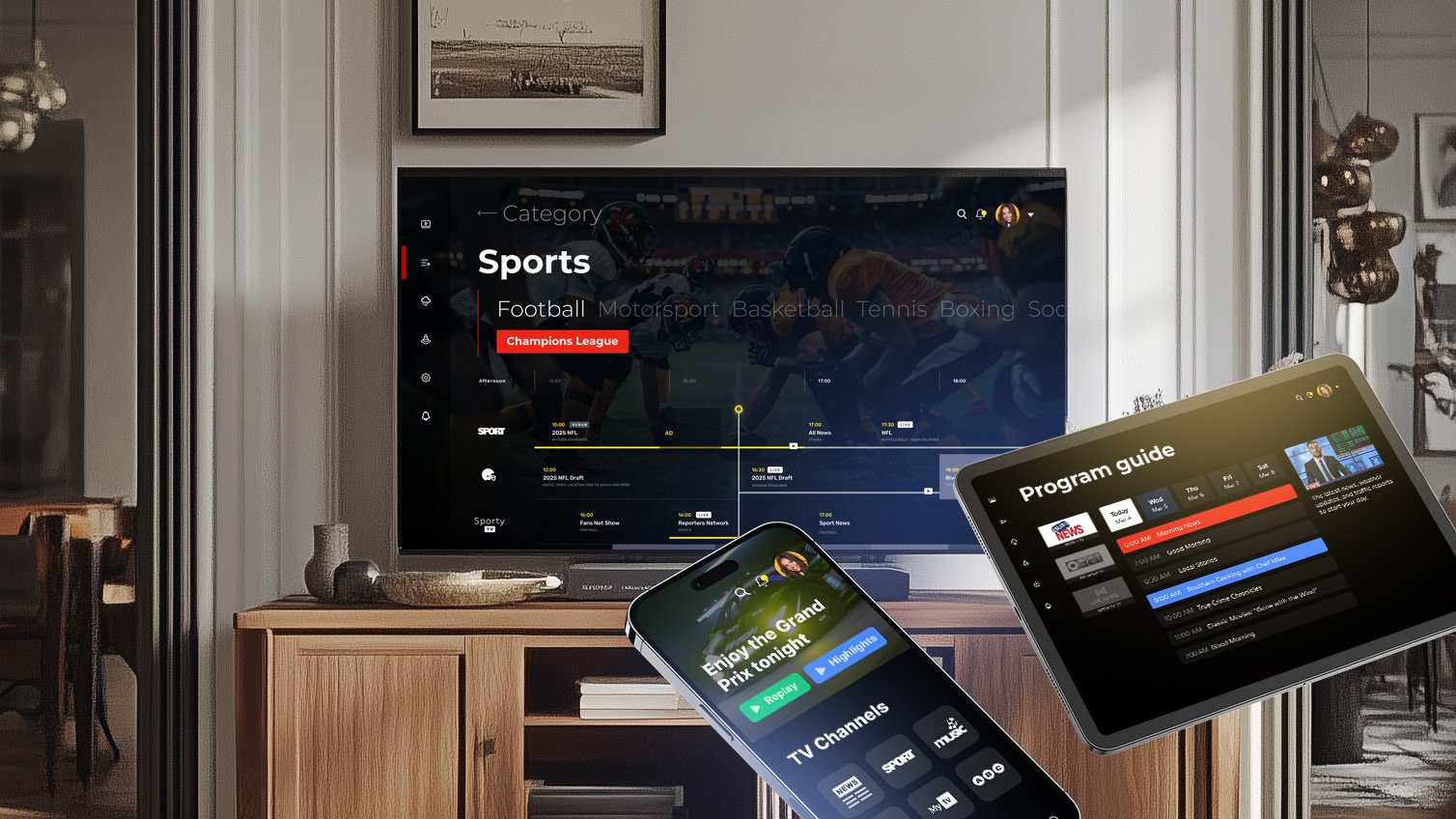
The Ultimate Guide to EPG Sources for IPTV Users: How to Bring Order to Your Channel Chaos (2025 Edition)
Introduction: Why EPG Matters in the IPTV World
If you’ve ever flipped through hundreds of IPTV channels and wondered what’s playing right now or what’s coming next, then you’ve already felt the need for a proper EPG — or Electronic Program Guide.
Think of EPG as the digital version of the old printed TV guide your parents used to read in the newspaper — but smarter, interactive, and constantly updated. In the IPTV world, EPG sources play a massive role in turning an unorganized list of channels into a smooth, Netflix-like experience.
Without an EPG, you’re basically scrolling blind through hundreds of channels. With it, you can instantly see the show titles, descriptions, air times, and even thumbnails for each program. That’s why EPG sources are the unsung heroes behind any good IPTV setup.
In this in-depth guide, we’ll break down everything you need to know about EPG sources — what they are, how they work, which ones are best, and how you can integrate them into your IPTV player or app.
1. What Is an EPG Source?
An EPG source (Electronic Program Guide source) is a database or feed that provides schedule data for TV channels. It tells your IPTV player what’s currently airing and what’s next.
Each EPG source usually contains:
-
Channel names and IDs
-
Program titles and time slots
-
Short and long descriptions
-
Genre or category information
-
Sometimes — images, ratings, or season/episode details
This data is usually formatted in a specific structure (like XMLTV or JSON) that your IPTV player can read and display visually.
So when you open your IPTV app and see that neat TV grid showing “BBC One – Doctor Who (20:00–21:00)”, that information is being pulled from an EPG source.
Why It’s So Important
Without a good EPG source, even the best IPTV service feels incomplete. You might have 10,000 channels, but if you can’t tell what’s playing, it’s just chaos. A proper EPG turns raw channel streams into an organized entertainment system.
2. How Does an EPG Work?
Let’s simplify it. The EPG process has three key components:
-
Data collection: EPG sources gather schedule information from broadcasters or public APIs.
-
Formatting: The data is structured into a standardized file format like XML or JSON.
-
Distribution: IPTV apps or devices download the file from a URL and sync it with your channel list.
Each channel in your IPTV playlist (usually an M3U file) has a unique identifier or “tvg-id” that links it to the right data in your EPG source.
For example:
Your IPTV player then looks for “bbc1.uk” in your EPG source and fetches the relevant schedule information.
It’s a simple concept but extremely powerful when configured properly.
3. Types of EPG Formats
Not all EPG sources use the same format. The most common ones are:
a. XMLTV
This is the most popular and widely supported format. It’s a structured XML file that contains all the program listings.
-
File extension:
.xmlor.xml.gz -
Compatible with: Kodi, Perfect Player, Tivimate, IPTV Smarters, and many others
-
Example EPG URL:
https://example.com/epg.xml
Pros:
-
Universal compatibility
-
Easy to customize or edit
Cons: -
Can be large and slow to load for thousands of channels
b. JSON-based EPG
JSON-based EPGs are newer and more lightweight than XML. Some advanced IPTV apps use them because they’re faster to parse and easier for developers to manipulate.
c. GZIP or Compressed EPG
Large EPG files (like 10MB+) can be compressed using .gz to save bandwidth. Many sources now provide compressed versions for faster loading.
4. Free vs. Paid EPG Sources
Now let’s get into what every IPTV enthusiast really wants to know — where can I get good EPG sources?
You can find both free and paid EPG sources online. But quality varies a lot.
Free EPG Sources
These are community-maintained or open-sourced and can work well if you’re not too picky about perfect accuracy.
Some examples include:
-
EPG.best (free version) — supports hundreds of channels worldwide
-
XMLTV.net — open XML feeds for public use
-
GitHub repositories — many developers share updated EPG XML files
Pros:
-
Completely free
-
Easy to find online
Cons: -
May have outdated schedules or broken links
-
Often region-limited or missing channels
Paid EPG Sources
If you want reliability and frequent updates, paid EPGs are the way to go. These services often have professional data partnerships or scraping systems to ensure daily accuracy.
Examples include:
-
IPTV-EPG.com — provides global coverage with regular updates
-
EPGSource.com — reliable XMLTV feeds for multiple regions
-
Schedules Direct (for North America) — a trusted data provider used by many IPTV backends
Pros:
-
Accurate and regularly updated
-
Covers international channels
-
Support and API access available
Cons: -
Subscription cost (usually $10–$30 per year)
5. How to Integrate EPG Sources with IPTV Players
Setting up your EPG is usually simple — but varies depending on your player.
Here’s a quick step-by-step for the most popular IPTV apps:
a. Tivimate
-
Open Tivimate and go to Settings → EPG → Add Source.
-
Choose External URL and paste your EPG XML link.
-
Wait for the app to download and sync the data.
-
Done! You should now see TV schedules in your channel list.
b. IPTV Smarters Pro
-
Go to Settings → EPG → Add EPG URL.
-
Paste your XMLTV or JSON EPG source link.
-
Refresh your app — you’ll see schedules instantly.
c. Kodi (with PVR Simple Client)
-
Open Settings → PVR & Live TV → Guide.
-
Enter your EPG URL in the XMLTV field.
-
Enable the client and restart Kodi.
d. Smart IPTV App
Smart IPTV supports external EPG URLs directly through its upload page (https://siptv.eu/mylist).
6. Common Problems and How to Fix Them
Even with the best EPG source, things can go wrong. Let’s look at some common issues:
EPG not loading?
-
Check if your EPG URL is still active.
-
Try opening it in a browser — if it downloads an XML file, it’s working.
-
Make sure your IPTV app supports the format (XMLTV vs JSON).
Wrong or missing programs?
-
Your channel IDs (tvg-id) might not match. Try editing your M3U file so they align with your EPG source.
-
Some sources use different naming conventions (e.g., “BBC1” vs “BBC One UK”).
Slow loading EPG?
-
Use a compressed
.gzversion of your EPG file. -
Avoid loading thousands of unnecessary channels.
7. Legal and Copyright Considerations
This part often gets overlooked, but it’s important.
Not all EPG data sources are legally authorized. Some scrape data from official broadcasters without permission — which can raise copyright concerns.
To stay safe:
-
Use EPG sources that explicitly allow public use or are licensed (like Schedules Direct).
-
Avoid suspicious sites that host pirated IPTV streams and EPG data.
-
Remember: EPG itself is just metadata, but copying it without consent can still violate terms.
If you’re running a commercial IPTV service, always license your EPG legally.
8. Future of EPG Sources
As IPTV continues to grow, EPG technology is evolving too. Expect to see:
-
AI-powered recommendations: Personalized EPGs that learn your viewing habits.
-
Cloud-sync EPGs: Updates in real time across all your devices.
-
Visual program guides: Thumbnails, trailers, and cast info integrated directly into guides.
In short, EPGs are becoming smarter — not just telling you what’s on, but suggesting what you’ll love next.
9. Expert Tips for the Best EPG Experience
-
Update your EPG weekly to keep it accurate.
-
Match your channel names and IDs correctly.
-
Use smaller, region-specific EPGs instead of massive global ones for faster loading.
-
If possible, combine multiple EPGs — one for local channels, one for international.
Conclusion
An EPG source is the hidden backbone of every smooth IPTV experience. It turns a raw stream list into an interactive TV guide, helps you plan your viewing, and adds professionalism to your IPTV setup.
Whether you choose a free community XML feed or invest in a premium paid EPG, the difference it makes is night and day.
In 2025 and beyond, having a reliable EPG isn’t a luxury — it’s a must for anyone serious about IPTV.
So the next time you’re fine-tuning your setup, don’t overlook the EPG. Get a solid source, link it correctly, and enjoy a smarter, more seamless streaming experience.
