

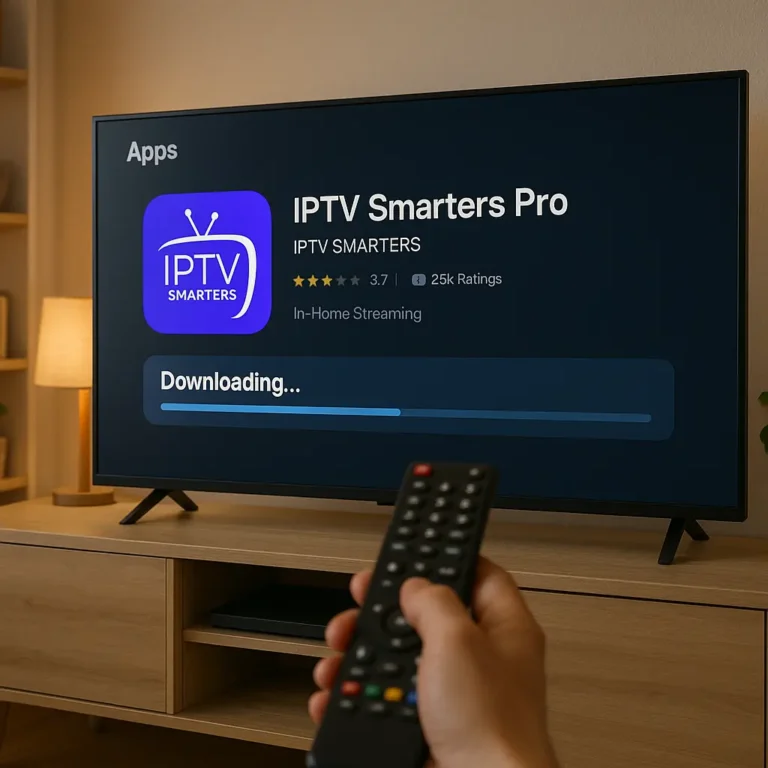
IPTV Smarters Pro Subscription: The Complete 2025 Guide to Features, Setup, Pricing & Safe Usage
In the rapidly evolving world of digital entertainment, IPTV apps have become one of the most popular ways to stream TV channels, movies, and on-demand content. Among all available IPTV players, IPTV Smarters Pro stands out as one of the most versatile, user-friendly, and widely compatible solutions. But even though millions of users download it each year, many people still misunderstand its purpose, its subscription options, and how it works with IPTV services.
This comprehensive guide explores everything you need to know about IPTV Smarters Pro subscription, including how the app works, its premium features, legal considerations, compatibility, setup instructions, and how to choose safe and legitimate IPTV service providers to use with it. If you’re looking for a complete 2025 breakdown, you’ll find everything right here.
1. What Is IPTV Smarters Pro? An Overview
IPTV Smarters Pro is a powerful video streaming application designed for users who want to stream live TV, video-on-demand (VOD), series, and catch-up content using an IPTV subscription. It is not an IPTV provider itself. Instead, Smarters Pro acts as an interface—a media player that allows you to log into an IPTV service using your login credentials.
Key facts:
-
✅ It is an IPTV player, not an IPTV subscription.
-
✅ Available on Android, iOS, Firestick, Smart TVs, Windows, and macOS.
-
✅ Supports Xtream Codes API, M3U playlists, and local playlist uploads.
-
✅ Provides advanced tools for customizing and managing IPTV content.
Because IPTV preferences vary from user to user, Smarters Pro has become a top choice worldwide due to its simplicity, smooth interface, and high compatibility with IPTV service providers.
2. IPTV Smarters Pro Subscription: What It Does & Doesn’t Do
A common misunderstanding is that buying an IPTV Smarters Pro subscription gives you channels. This is not true.
✅ What the subscription includes:
-
Access to premium app features.
-
Multi-screen support.
-
Master user panel.
-
Parental controls.
-
Advanced VOD and series management.
-
Themes, UI customization, and layout control.
-
Compatibility with advanced APIs.
-
Player customization features.
❌ What the subscription does NOT include:
-
No channels
-
No live sports
-
No movies or series
-
No IPTV service
To use it, you must already have your own IPTV provider that supplies:
-
Xtream Codes username/password/server URL, or
-
M3U playlist link.
Smarters Pro’s premium subscription simply enhances how you interact with your existing IPTV service.
3. Why IPTV Smarters Pro Became Popular in 2025
There are hundreds of IPTV apps on the market, but Smarters Pro dominates for several reasons:
Ease of Use
Its clean interface allows even beginners to set up their IPTV subscription in minutes.
Multi-Device Support
From smartphones to smart TVs and TV boxes, Smarters Pro runs almost everywhere.
Advanced Streaming Optimization
The app uses efficient decoding technology to reduce buffering and improve quality.
User Interface Customization
Premium users can customize themes, menus, and layouts for a personalized experience.
Reliable Updates
The development team continuously maintains the app, improving:
-
Speed
-
Stability
-
Compatibility
Legit Software
IPTV Smarters Pro itself is legal. What matters is the IPTV source you load into it.
4. IPTV Smarters Pro Free vs Premium: What’s the Difference?
The free version of Smarters Pro is excellent, but the premium (paid) subscription unlocks everything the app can do.
✅ Free Version Includes:
-
Support for one IPTV playlist
-
Standard streaming
-
Basic EPG
-
Video player support
-
Live TV, VOD, and series sections
-
EPG view options
⭐ Premium Version Includes:
-
Multi-Screen Support
Watch multiple channels simultaneously—perfect for sports or news tracking. -
Parental Controls
Lock categories or restrict content with a PIN. -
Custom Branding Options
Users or resellers can add logos, colors, and UI elements (depending on package). -
VOD & Series Enhancements
Better viewing layout, categories, image loading, and content filtering. -
External Player Integration
Connect MX Player, VLC, and other players. -
Multi-User Support
Use multiple IPTV accounts inside one app. -
Faster Performance
Premium builds often provide smoother performance with updated codecs.
For users seeking a complete IPTV experience with stability and customization, the premium subscription is a worthwhile upgrade.
5. Compatible Devices for IPTV Smarters Pro Subscription
One of the strongest advantages of Smarters Pro is its broad compatibility.
✅ Smart TVs
-
Samsung Tizen OS
-
LG webOS
-
Android TV (Sony, TCL, Hisense)
✅ Mobile Devices
-
Android smartphones
-
iPhones and iPads
✅ Streaming Devices
-
Amazon Firestick
-
Nvidia Shield
-
Google Chromecast with Google TV
✅ Computers
-
Windows
-
macOS
✅ Android Set-Top Boxes
-
MAG boxes (via sideloading)
-
Formuler (as secondary player)
-
Generic Android TV boxes
This makes Smarters Pro one of the easiest players for families with multiple viewing devices.
6. How to Set Up IPTV Smarters Pro Subscription
The setup process is easy. What you need:
-
An IPTV subscription
-
The Smarters Pro app
-
Xtream Codes login OR an M3U playlist
Follow these steps:
✅ Step 1: Download IPTV Smarters Pro
Install it directly from:
-
Google Play Store
-
Apple App Store
-
Samsung Store
-
LG Content Store
-
Amazon Store
If unavailable on your device, you may need to install via APK from a safe source.
✅ Step 2: Launch the App
On first launch, you’ll see options:
-
Login with Xtream Codes API
-
Load Your Playlist or File/URL
-
Login with XUI API
-
Load Local Playlist
✅ Step 3: Enter Your IPTV Subscription Details
For Xtream Codes:
-
Username
-
Password
-
Server URL
For M3U:
-
Paste the playlist URL
Make sure your provider gives legal access to licensed content.
✅ Step 4: Select Streaming Categories
These may include:
-
Live TV
-
Movies
-
Series
-
Catch Up
-
EPG
Categories depend on what your provider offers.
✅ Step 5: Customize Settings (Optional for Premium Users)
-
Choose themes
-
Link external players
-
Enable multi-screen
-
Create profiles
-
Set parental controls
7. Advantages of Using IPTV Smarters Pro Subscription
1. Zero Lag Streaming (with Good Providers)
The app handles decoding efficiently, minimizing buffering.
2. Organized Content Experience
Everything is categorized neatly:
-
Favorites
-
Recently watched
-
Continue watching
-
Sports
-
VOD
3. Smooth EPG Integration
You can browse TV schedules for days or weeks.
4. Multi-Device Sync
Use the same login on multiple devices (if your IPTV provider allows it).
5. Regular Development & Support
Updates keep the app stable and safe.
6. Custom Player Controls
Premium users enjoy:
-
Picture-in-picture
-
Multi-view
-
Advanced video controls
7. Multi-Profile Support
Great for families to separate:
-
Watch history
-
Parental controls
-
Viewing preferences
8. Legal Considerations of IPTV & Smarters Pro
It’s important to understand the legality of IPTV usage.
✅ IPTV Smarters Pro is legal
It is simply a media player.
❌ Some IPTV services are illegal
If an IPTV provider offers:
-
Premium sports
-
Movies still in cinemas
-
International channels
-
PPV events
…without proper broadcasting rights, it may be illegal in your country.
✅ How to stay safe
Choose IPTV providers that:
-
Are licensed
-
Provide official rights
-
Are transparent about their partnerships
Using Smarters Pro with legitimate services is 100% legal.
9. Choosing a Safe IPTV Subscription to Use with Smarters Pro
When selecting a provider, check for:
✅ 1. Legality
Always select providers that explicitly list their broadcasting licenses.
✅ 2. Stability & Server Quality
Look for:
-
High uptime
-
Minimal buffering
-
CDN support
✅ 3. Compatible API
Ensure the provider uses:
-
Xtream Codes
-
XUI API
-
M3U playlist
✅ 4. Customer Support
A reliable provider responds quickly to issues.
✅ 5. Multi-Device Use
Some subscriptions allow multiple connections.
✅ 6. Good EPG Support
Full TV guide quality varies from service to service.
10. IPTV Smarters Pro for Families & Multi-User Households
Premium subscription makes Smarters Pro ideal for households.
Key reasons:
-
Multiple profiles
-
Lockable adult categories
-
Separate watchlists
-
Kids-friendly mode
-
PIN-protected content
Parents can control what children watch, while adults enjoy full access to their own content categories.
11. IPTV Smarters Pro Subscription for Businesses (2025 Trends)
Some businesses use IPTV players for:
-
Hotels
-
Bars
-
Restaurants
-
Gyms
-
Waiting rooms
Premium Smarters Pro helps them manage:
-
Custom branding
-
Screens across locations
-
Playlist restrictions
-
UI controls
This is especially popular in sports bars that legally broadcast licensed sports channels.
12. Troubleshooting Common Issues
✅ Buffering
Usually caused by:
-
Slow internet
-
Overloaded IPTV servers
-
WiFi interference
✅ Login errors
Check:
-
URL
-
Username
-
Password
-
Expiration of subscription
✅ App crashing
Update the app or reinstall.
✅ No EPG
Your IPTV provider must supply XMLTV data.
✅ Black screen on channel
Try:
-
Switching decoders
-
Clearing cache
-
Restarting the app
13. Future of IPTV Smarters Pro in 2025 and Beyond
The IPTV market continues to grow, and Smarters Pro will likely introduce:
-
Cloud sync
-
Voice search
-
AI content recommendations
-
Improved parental control
-
Enhanced UI themes
-
Faster load times
-
Smarters Pro TV OS integration
Its developer team remains active, ensuring the app remains the industry standard for IPTV players.
14. Final Thoughts: Is IPTV Smarters Pro Subscription Worth It?
For anyone using IPTV regularly—whether for live TV, sports, movies, or series—the IPTV Smarters Pro subscription is absolutely worth considering.
✅ Why?
-
It transforms your viewing experience.
-
It adds powerful premium features.
-
It works with almost any IPTV provider.
-
It enhances picture quality, navigation, and control.
-
It offers customization and multi-user support.
If you’re looking for one of the best IPTV players available in 2025, Smarters Pro remains at the top of the list—especially when paired with a safe, legal IPTV provider.
